

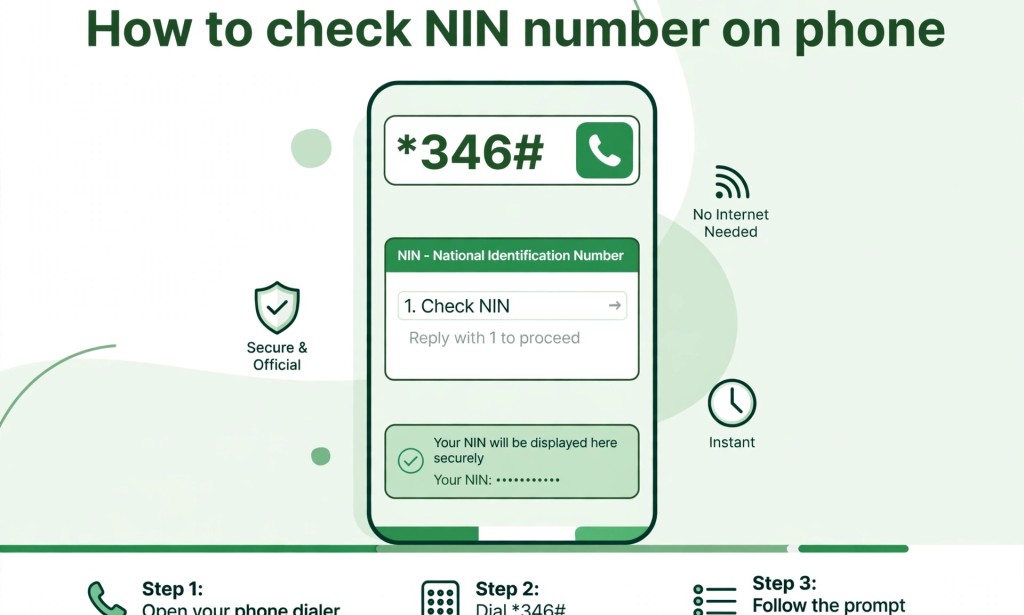
Have you forgotten your NIN number and you need it urgently? Don't worry, you can retrieve it on your phone without going to NIMC office. Here is how to check your NIN on all networks.
What is NIN?
NIN means National Identification Number. It is 11 digits number given to you by NIMC after registration. You need it for SIM registration, bank account, JAMB and many other things.
How To Check NIN Number On MTN
To check your NIN on MTN, dial this code: _346#
Steps:
1. Dial _346# on the MTN number you used to register your NIN.
2. Select option 1 which is NIN Retrieval.
3. Your NIN will display on your screen.
4. Note that MTN will charge you N20 for this service. Make sure you have airtime.
How To Check NIN Number On Airtel
Dial _346# on your Airtel line.
1. Dial _346#
2. Your NIN will show instantly.
3. It costs N20 airtime.
How To Check NIN Number On GLO
Dial _346# on your GLO line.
1. Dial _346# on the GLO number linked to your NIN.
2. Your 11-digit NIN will appear.
How To Check NIN Number On 9mobile
Dial _346# on your 9mobile line and your NIN will display.
Important Notes
1. You must dial the code with the phone number you used to register the NIN.
2. You must have at least N20 airtime on your line.
3. If the code is not working, check if your SIM is linked and has network.
4. Do not share your NIN with strangers to avoid fraud.
What If _346# Is Not Working?
You can check your NIN through NIMC slip. The 11 digit number is on your NIN slip. You can also use NIMC Mobile ID App. Download the app from Playstore, login with your details and view your NIN.
I hope this guide helped you. If it worked for you, share with your friends who might need it.


You must be logged in to post a comment.