

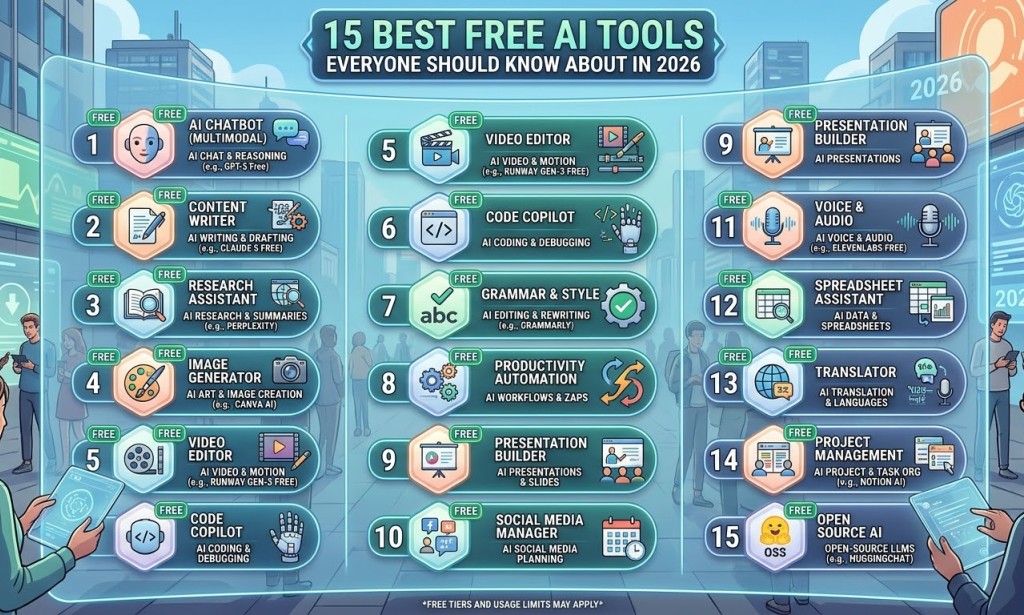
15 Best Free AI Tools Everyone Should Know About in 2026
Introduction
Artificial Intelligence is changing the digital world, making it easier for people to write, design, edit videos, conduct research and manage everyday activities.
One of the biggest advantages of modern AI technology is that many tools offer free access or free usage plans.
You no longer need to be a professional graphic designer, video editor or programmer to begin exploring what artificial intelligence can do.
Whether you are a student, business owner, freelancer, blogger or content creator, there are AI tools that can help you become more productive.
In this article, we explore 15 useful AI tools you should know about in 2026.
1. ChatGPT – AI Writing and Assistance
ChatGPT is an AI assistant that can help users write articles, generate ideas, explain difficult topics, answer questions and assist with different tasks.
Best for: Writing, brainstorming, learning and productivity.
Website: https://chatgpt.com
1. Google Gemini – AI Assistant
Google Gemini is an AI assistant designed to help users research, write, brainstorm and understand information.
It can also support different creative and productivity tasks.
Best for: Research, learning and everyday assistance.
Website: https://gemini.google.com
1. Canva AI – Graphic Design
Canva offers AI-powered features that help users create visual content, presentations, social media designs and marketing materials.
It is particularly useful for beginners who want to create professional-looking designs without advanced graphic design knowledge.
Best for: Flyers, thumbnails, presentations and social media graphics.
Website: https://www.canva.com
1. Grammarly – Writing Improvement
Grammarly helps users improve their writing by identifying grammatical mistakes, spelling errors and clarity issues.
Its AI-powered features can also assist with rewriting and improving written communication.
Best for: Grammar, proofreading and professional writing.
Website: https://www.grammarly.com
1. Perplexity – AI Research Assistant
Perplexity helps users find information and explore topics through AI-powered search and sourced answers.
It can be useful when researching topics for articles, schoolwork or business projects.
Best for: Research and information discovery.
Website: https://www.perplexity.ai
1. CapCut – AI Video Editing
CapCut is a popular video editing application with AI-powered features.
Users can edit videos, add captions, apply effects and create content for platforms such as YouTube, TikTok and Facebook.
Best for: Video editing and social media content.
Website: https://www.capcut.com
1. Microsoft Copilot – Productivity Assistant
Microsoft Copilot provides AI assistance for research, writing, brainstorming and other productivity tasks.
Its integration with Microsoft products depends on the version and subscription.
Best for: Productivity and workplace assistance.
Website: https://copilot.microsoft.com
1. DeepL – AI Translation
DeepL is an AI-powered translation service that helps users translate text between supported languages.
It can be useful for students, writers and businesses communicating with international audiences.
Best for: Language translation.
Website: https://www.deepl.com
1. ElevenLabs – AI Voice Generation
ElevenLabs offers AI-powered voice generation and audio tools.
Users can explore voiceovers for videos, storytelling, presentations and other creative projects.
Free usage is subject to account limits and current plan conditions.
Best for: Voiceovers and audio production.
Website: https://elevenlabs.io
1. Remove.bg – Background Removal
Remove.bg uses AI technology to remove backgrounds from images.
It is useful for creating product images, profile pictures and promotional graphics.
Best for: Image editing and background removal.
Website: https://www.remove.bg
1. Leonardo AI – AI Image Generation
Leonardo AI helps users create images and visual concepts using artificial intelligence.
It can be useful for illustrations, character concepts, creative projects and digital artwork.
Best for: AI image generation.
Website: https://leonardo.ai
1. Notion AI – Productivity and Organisation
Notion provides digital workspace tools for organising notes, documents, tasks and projects.
Its AI capabilities can assist with writing, summarising and organising information, depending on the available plan.
Best for: Note-taking and project management.
Website: https://www.notion.com
1. QuillBot – Paraphrasing and Writing
QuillBot offers writing tools that help users paraphrase text, check grammar and improve sentence structure.
It can be useful for students, bloggers and professional writers.
Best for: Paraphrasing and writing assistance.
Website: https://quillbot.com
1. Zapier – Workflow Automation
Zapier connects different applications and automates repetitive tasks.
For example, you can create workflows that automatically transfer information between supported applications.
Some automation features also use AI.
Best for: Business automation and productivity.
Website: https://zapier.com
1. Adobe Express – Creative Design
Adobe Express provides tools for creating graphics, videos, social media content and other creative materials.
It also includes AI-powered features that help users produce and edit visual content.
Best for: Graphic design and marketing materials.
Website: https://www.adobe.com/express/
How to Choose the Right AI Tool
With so many AI applications available, choosing the right one can be challenging.
Start by identifying what you want to accomplish.
· For writing: ChatGPT or Grammarly.
· For research: Perplexity or Gemini.
· For graphic design: Canva or Adobe Express.
· For video editing: CapCut.
· For voiceovers: ElevenLabs.
· For automation: Zapier.
· For translation: DeepL.
Remember that free plans may have usage limits, restricted features or paid upgrades. Always check the current pricing before relying on a tool for regular business activities.
Conclusion
Artificial intelligence is making digital work more accessible to people around the world.
The 15 tools discussed in this article can help you explore writing, research, graphic design, video editing, translation and business automation.
You don't need to learn everything at once. Start with one or two tools that solve a problem you currently have.
As your experience grows, you can combine different AI applications to improve your productivity and develop valuable digital skills.
Which AI tool do you currently use, and which one would you like to try? Let us know in the comments!


You must be logged in to post a comment.