

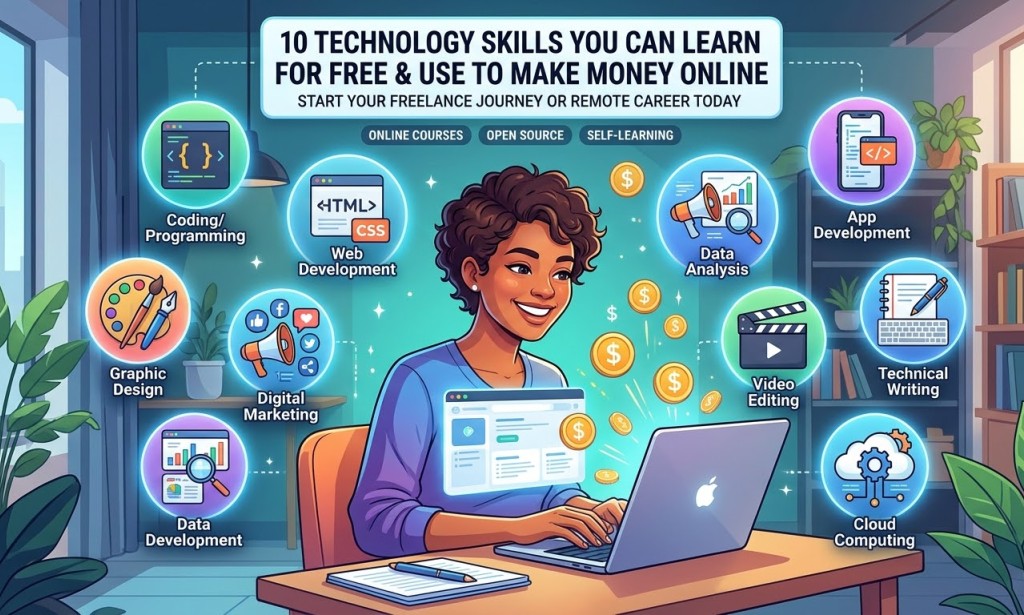
10 Technology Skills You Can Learn for Free and Use to Make Money Online
Technology is changing the way people work, communicate and earn money. Today, you don't necessarily need a university degree or expensive training to begin building a career in the digital world.
With an internet connection, a smartphone or computer, and a willingness to learn, you can develop valuable technology skills that businesses and individuals need.
Whether you want to become a freelancer, work remotely, start an online business or improve your career opportunities, learning digital skills can be a worthwhile investment.
Here are 10 technology skills you can learn for free and potentially turn into an income source.
1. Data Analysis
Data analysis involves collecting, cleaning, organising and interpreting information to help businesses make better decisions.
Popular tools include:
- Microsoft Excel
- SQL
- Power BI
- Python
You can offer services such as sales analysis, business reporting, dashboard development and data cleaning.
Free learning resources: Microsoft Learn, Kaggle Learn and freeCodeCamp.
2. Graphic Design
Graphic design involves creating visual content for businesses, individuals and organisations.
You can learn to create:
- Social media posts
- Business flyers
- YouTube thumbnails
- Logos
- Marketing materials
Tools to explore: Canva, GIMP and Adobe Express.
As your design skills improve, you can offer services to small businesses, content creators and online brands that need attractive visual materials.
3. Web Development
Web development involves building and maintaining websites.
Beginners can start with:
- HTML
- CSS
- JavaScript
As your skills improve, you can learn popular frameworks and website development technologies.
Businesses need websites for marketing, customer communication and online sales. This creates opportunities for people who can build, maintain and improve websites.
Free learning resources: freeCodeCamp and The Odin Project.
4. Digital Marketing
Digital marketing involves promoting products, services and brands through online platforms.
Important areas include:
- Search Engine Optimisation (SEO)
- Social media marketing
- Email marketing
- Content marketing
- Online advertising
You can work with small businesses, bloggers and online brands that need help reaching potential customers.
Free learning resources: Google Skillshop and HubSpot Academy.
5. Video Editing
Video editing is an increasingly useful skill because businesses, influencers and content creators regularly publish video content.
You can learn how to:
- Edit short-form videos.
- Add captions and subtitles.
- Create promotional videos.
- Edit YouTube content.
- Add transitions and sound effects.
Tools to explore: CapCut, DaVinci Resolve and Clipchamp.
With practice, you can offer video-editing services to YouTubers, social media creators and businesses.
6. Search Engine Optimisation (SEO)
SEO involves improving websites and online content so they can appear more prominently in search engine results.
SEO specialists help website owners attract organic visitors without relying entirely on paid advertising.
Important areas include:
- Keyword research
- Content optimisation
- Technical SEO
- Website performance
- Link building
Businesses, bloggers and website owners may hire SEO professionals to improve their online visibility.
Free learning resources: Google Search Central and Ahrefs' SEO learning materials.
7. Virtual Assistance
Virtual assistance involves providing administrative and organisational support remotely.
Services may include:
- Email management
- Data entry
- Internet research
- Scheduling appointments
- Document preparation
- Customer support
You can start with basic computer skills and gradually develop specialised services.
Small businesses, entrepreneurs and busy professionals sometimes need reliable virtual assistants to help manage everyday tasks.
8. Programming and Coding
Programming involves writing instructions that computers use to perform tasks.
Popular beginner-friendly programming languages include:
- Python
- JavaScript
- SQL
Programming can lead to opportunities in software development, automation, web development and data-related careers.
Free learning resources: freeCodeCamp and CS50.
Start with simple exercises and small projects. As you gain experience, build practical applications that demonstrate what you can do.
9. Content Creation
Content creation involves producing valuable or entertaining material for digital platforms.
Examples include:
- YouTube videos
- TikTok videos
- Facebook Reels
- Blog articles
- Podcasts
You can develop skills in storytelling, scripting, editing, audience engagement and content strategy.
Income opportunities may include platform monetisation, sponsorships, affiliate marketing and freelance content services.
However, earning money from content creation is not automatic. It takes time to build an audience, meet platform requirements and develop content that people want to watch or read.
10. Artificial Intelligence (AI) and Automation
Artificial intelligence is becoming an important part of modern business operations.
Learning how to use AI tools can help you improve productivity and complete tasks more efficiently.
Some useful areas include:
- AI-assisted writing
- Image generation
- AI video production
- Workflow automation
- AI-assisted research
- Chatbot development
Tools to explore: ChatGPT, Google Gemini, Canva AI and Zapier.
These tools can help with different tasks, from generating ideas and designing graphics to organising repetitive business processes.
Remember that AI-generated work should be reviewed for accuracy, originality and quality. Learning how to use these tools effectively is more valuable than simply copying their output.
How to Start Learning These Skills
You don't need to learn all ten skills at once. Choose one that matches your interests and career goals.
Follow these simple steps:
- Choose one skill: Focus on something you genuinely enjoy or want to use professionally.
- Find a free course or tutorial: Use trusted learning platforms and educational videos.
- Practise consistently: Set aside time to practise what you learn.
- Complete small projects: Apply your knowledge to practical tasks.
- Build a portfolio: Create samples that demonstrate your abilities.
- Start applying: Look for suitable freelance opportunities, clients or entry-level jobs.
Don't rush to learn everything within one week. Developing a useful skill takes patience, practice and continuous improvement.
Conclusion
The digital economy continues to create opportunities for people who are willing to learn and adapt.
Skills such as data analysis, video editing, digital marketing, programming and AI automation can help you explore different career paths.
The most important thing is to start somewhere, practise regularly and build evidence of what you can do.
You don't have to spend a lot of money before learning something valuable. Take advantage of free educational resources, work on practical projects and improve your skills step by step.
Which Technology Skill Would You Like to Learn First?
Which of these ten technology skills interests you the most? Are you interested in graphic design, programming, video editing, data analysis or artificial intelligence?
Share your answer in the comments. Your choice might inspire another person to start learning too!


You must be logged in to post a comment.