

Running out of storage space on your Android phone can be frustrating. You want to download a video, receive a document on WhatsApp, or take a few pictures, but your phone keeps telling you that there isn't enough space.
When this happens, many people start looking for phone-cleaning applications. Unfortunately, not every app that promises to make your phone cleaner or faster is worth installing.
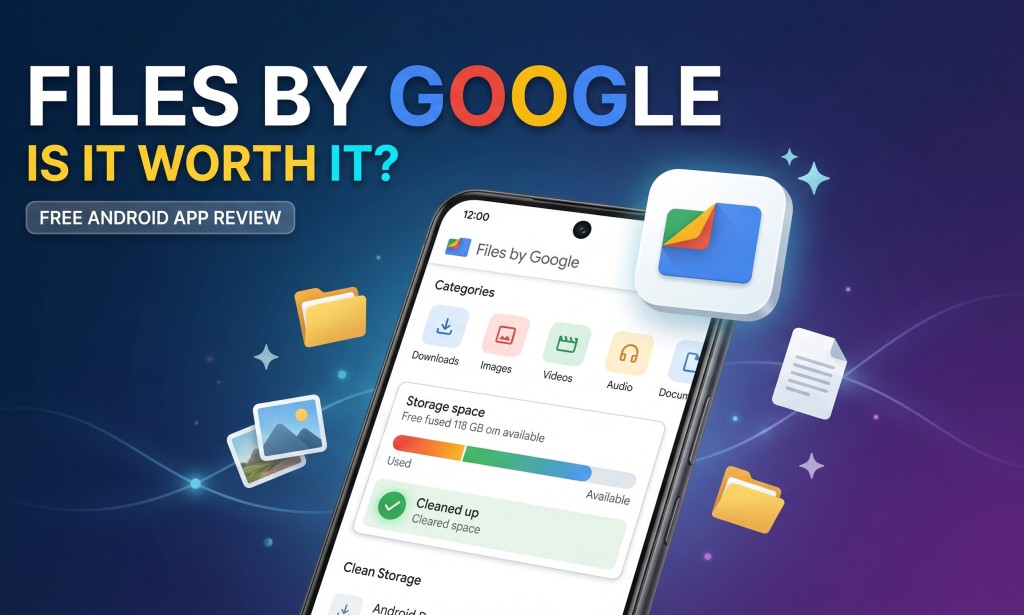
One application worth considering is Files by Google, a free file-management app developed by Google. It helps users organise files, identify items taking up storage space, and manage downloads and documents.
But is it actually useful, or is it just another file manager? Let's take a closer look at what it offers and where its limitations are.
What Is Files by Google?
Files by Google is an Android application designed to help users manage files stored on their smartphones.
Instead of searching through different folders whenever you need a picture, video, PDF, or downloaded document, you can use the app to browse and locate your files more easily.
It also provides suggestions for freeing up storage space. These can include duplicate files, temporary files, old downloads, screenshots, and other items you may no longer need.
The application is available through the Google Play Store, and its main features are free to use.
1. It Helps You Free Up Storage Space
One of the most useful features is the Clean section.
When you open the app, you can find recommendations for items that may be taking up unnecessary space on your device.
For example, it can help identify duplicate files, temporary files, old screenshots, and large files that you may want to review.
This is particularly useful if you regularly receive pictures and videos through messaging applications.
However, remember that the app does not know which files are personally important to you. Always review a recommendation before deleting anything.
2. It Makes Finding Files Easier
Have you ever downloaded a document but struggled to remember where it was saved?
Files by Google makes this process easier by allowing you to browse and search through files on your device.
You can locate documents, images, videos, downloads, and other supported file types without manually opening every folder.
You can also sort files by size, which helps you identify what is occupying the most storage space.
For students, freelancers, and people who regularly work with documents on their phones, this can be a useful feature.
3. It Has a Safe Folder for Private Files
Another interesting feature is Safe Folder.
This allows you to move selected files into a protected section that requires a PIN or pattern before access.
For example, you might want to keep certain personal documents or pictures separate from your ordinary gallery and file folders.
To use it, open Files by Google, find Safe Folder under Collections, and follow the instructions to create a PIN or pattern.
There is something important to remember, though: if you forget your Safe Folder PIN or pattern, you may lose access to the files inside. Google also warns that resetting the Safe Folder permanently deletes its contents.
It is therefore important to choose a lock you can remember.
4. You Can Share Files Without an Internet Connection
Files by Google also supports Quick Share, which allows compatible nearby devices to exchange files.
This can be helpful when you want to send pictures, videos, or documents to another supported Android device without using mobile data.
For people who regularly share large files with friends, classmates, or colleagues, this can be convenient.
Just remember that the receiving device must support the sharing feature and have the necessary settings enabled.
5. Is It Heavy on Phone Storage?
Some cleaning applications occupy a considerable amount of space themselves, which defeats the purpose for people trying to free up storage.
Google's Play Store listing describes Files by Google as using less than 20 MB of storage. Actual installation size and storage use can vary depending on the device and app version.
The listing also states that the app has no advertisements.
These are useful advantages, particularly for people using smartphones with limited internal storage.
What Are the Disadvantages?
Although Files by Google offers several useful features, it is not perfect.
First, it cannot magically increase your phone's internal storage. It only helps you identify and manage files that are already there.
Second, its cleaning recommendations require your attention. If you delete files without checking them, you could accidentally remove something important.
Third, Safe Folder has limitations. For example, files stored there cannot be accessed by third-party applications, and Google warns that forgetting the PIN or pattern can make those files inaccessible.
Finally, some features may look different depending on your Android version and device manufacturer.
My Verdict: Is Files by Google Worth Installing?
Files by Google is worth considering if you want a simple way to organise your files, find large downloads, identify unnecessary files, and keep selected documents in a protected folder.
Its biggest advantage is that it combines several useful file-management features in one free application.
However, don't install it expecting your phone to suddenly become faster or gain additional storage capacity. Its main purpose is file management, not repairing hardware or upgrading your phone's performance.
For Android users who want a straightforward file manager without paying for a subscription, it is a sensible option to consider.
You can find it on the Google Play Store by searching for Files by Google. Make sure the developer is listed as Google LLC before installing it.
What do you currently use to manage files on your phone? Do you prefer your phone's built-in file manager, or would you consider trying Files by Google? Share your thoughts in the comments.











































You must be logged in to post a comment.