

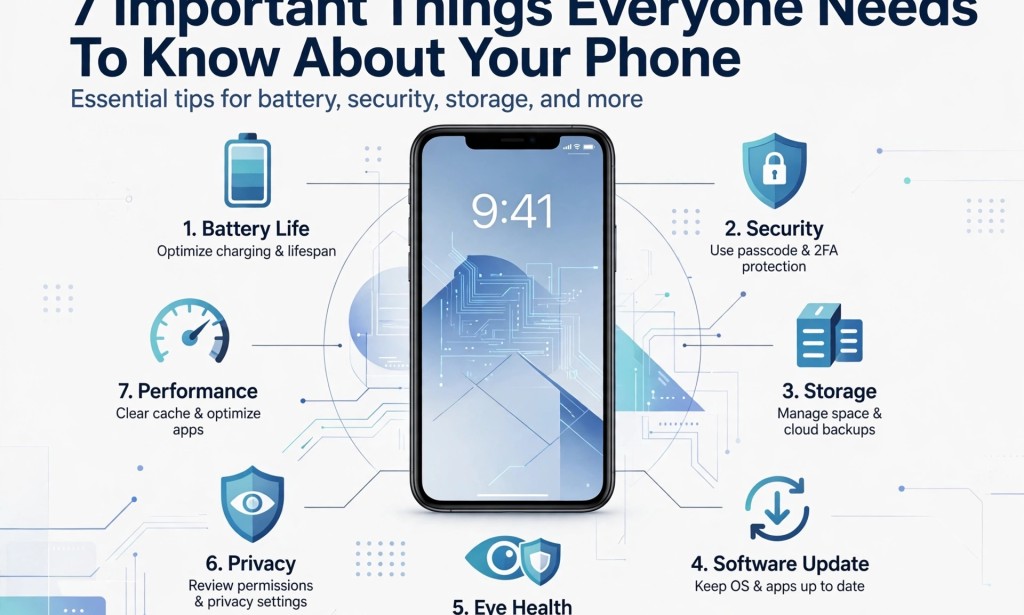
7 Important Things Everyone Needs to Know About Their Phone
We spend a significant part of our day with our phones. We use them to communicate, work, learn, shop, make payments, watch videos, and stay connected with the world. However, many people do not really know how to take proper care of their phones.
Your smartphone is a valuable device, and how you use it can affect its battery life, performance, security, and even your health.
Here are seven important things everyone should know about their phones.
1. Your Phone Battery Has a Lifespan
Every smartphone battery has a limited lifespan. Over time, its ability to hold a charge gradually decreases, especially after repeated charging cycles and exposure to high temperatures.
Although charging your phone to 100% does not immediately damage the battery, keeping a lithium-ion battery at a very high charge level for extended periods can contribute to battery ageing.
To help your battery last longer:
- Avoid exposing your phone to excessive heat.
- Use the battery protection or optimized charging feature if your phone supports it.
- Try to avoid regularly allowing the battery to drop to 0%.
- Use a reliable charger that is compatible with your phone.
- If your phone becomes unusually hot while charging, disconnect it and allow it to cool.
Keeping your battery roughly between 20% and 80% when convenient can help reduce battery stress, but you do not need to worry if you occasionally charge it to 100%.
2. Your Phone Privacy Depends on the Permissions You Allow
Have you ever installed an application and immediately clicked Allow when it requested access to your camera, microphone, contacts, or location?
You should be careful with these permissions. Some applications genuinely need access to certain features to work properly, while others may request permissions that are unnecessary for their main functions.
For example, a camera application needs camera access, but a simple calculator generally does not need access to your contacts or microphone.
To protect your privacy:
- Review application permissions in your phone settings.
- Allow camera and microphone access only when necessary.
- Restrict location access for applications that do not need it.
- Uninstall applications you no longer use or do not trust.
- Download applications from trusted sources.
Remember, granting an application permission does not automatically mean it is spying on you. However, reviewing permissions helps you control what information applications can access.
3. Be Careful When Using Free Public Wi-Fi
Free Wi-Fi at airports, hotels, restaurants, and shopping centres can be convenient, especially when you want to save mobile data. However, public Wi-Fi networks may expose you to security risks if they are poorly protected or controlled by malicious individuals.
For example, attackers may create fake Wi-Fi hotspots that imitate legitimate networks in an attempt to trick people into connecting.
When using public Wi-Fi:
- Confirm the correct network name with the business providing the connection.
- Avoid entering sensitive information on websites that do not use HTTPS.
- Never ignore security warnings from your browser.
- Keep your phone's operating system and applications updated.
- Use mobile data for sensitive transactions if you are unsure about the network.
- Never install unknown applications or certificates just because a public Wi-Fi network requests them.
Modern encrypted websites and banking applications provide important protection, so public Wi-Fi is not automatically dangerous. Nevertheless, staying cautious is a good habit.
4. Restart Your Phone Occasionally
Your smartphone is a small computer, and like other computers, it can sometimes experience temporary software problems.
Restarting your phone can help resolve certain minor issues, refresh system processes, and restore normal performance when an application or background process becomes unresponsive.
If your phone starts behaving strangely, freezing, or experiencing minor glitches, restarting it is a simple troubleshooting step worth trying.
You do not necessarily have to restart your phone every week. Modern smartphones are designed to operate for extended periods without being switched off. However, an occasional restart can be helpful when you experience problems.
5. Full Storage Can Affect Your Phone's Performance
Have you ever tried taking a picture only to discover that your phone has insufficient storage space? This can happen when your device is filled with videos, photographs, applications, downloaded files, and WhatsApp media.
When your phone has very little free storage, some applications and system functions may struggle to operate properly. You may experience slow performance, failed downloads, or problems saving photographs and videos.
Here are some ways to manage your phone storage:
- Delete videos and photographs you no longer need.
- Remove applications you rarely use.
- Review large files downloaded from the internet.
- Use WhatsApp's Manage Storage feature to identify and remove unwanted media.
- Move important photographs and documents to a trusted cloud storage service or external storage device.
You do not need to wait until your storage reaches 90% before taking action. Check your available storage occasionally and maintain enough free space for your phone to function comfortably.
6. Software Updates Are Important for Your Security
When your phone displays a software update notification, do not assume that the update is only about changing the appearance of your device.
Software updates often include security patches that fix weaknesses attackers could otherwise exploit. They may also improve performance, fix bugs, and introduce useful features.
To keep your phone protected:
- Install official software updates when they become available for your device.
- Update applications through trusted app stores.
- Avoid downloading unofficial operating system files from unknown websites.
- Keep automatic security updates enabled where supported.
- Back up important information before major system upgrades.
Some older phones eventually stop receiving security updates. If your device no longer receives essential security support, consider upgrading to a supported model when possible.
7. Too Much Screen Time Can Affect Your Sleep and Comfort
Spending too much time staring at your phone can affect your daily routine, especially when you use it late at night.
Prolonged screen use may contribute to eye strain, dry eyes, headaches, and difficulty concentrating. Using your phone close to bedtime can also interfere with sleep, particularly when notifications, exciting content, or bright screens keep you mentally active.
Here are some simple habits that can help:
- Take regular breaks when using your phone for extended periods.
- Adjust your screen brightness to a comfortable level.
- Use Night Light, Eye Comfort Shield, or similar features in the evening if they make your screen more comfortable.
- Avoid using your phone in bed when it regularly delays your sleep.
- Consider putting your phone away 30 minutes before bedtime.
Night Mode and blue-light filters may make your screen more comfortable, but they are not guaranteed to prevent eye strain or sleep problems. Reducing late-night screen use and maintaining a regular sleep routine are also important.
Conclusion: Take Good Care of Your Phone
Your smartphone is a powerful tool. It helps you communicate, earn money, access information, manage your finances, and stay connected with people around you.
However, careless usage can expose your personal information, reduce battery lifespan, create storage problems, and affect your daily routine.
You do not need to be a technology expert to take good care of your phone. Simple habits such as managing battery usage, checking application permissions, maintaining enough storage, installing security updates, and controlling screen time can make a big difference.
Your phone is an important part of your everyday life. Take care of it, protect your privacy, and use it wisely.


You must be logged in to post a comment.