
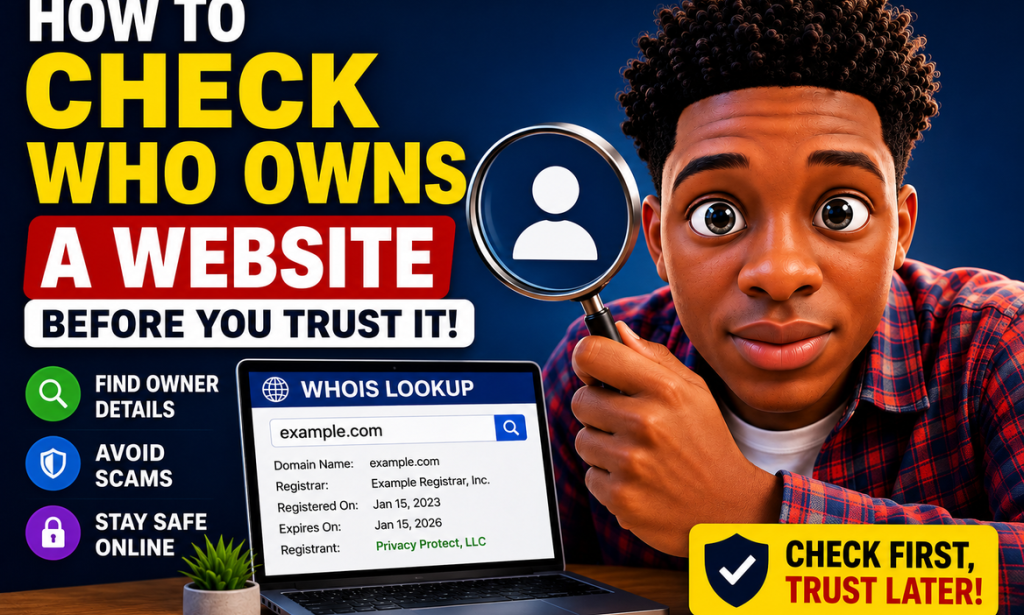
How to Check Who Owns a Website Before You Trust It in 2026
A Complete Step-by-Step Guide for Safer Online Decisions
The internet has made it possible to buy products, compare services, communicate with companies, find jobs, learn new skills, book travel, manage money, and access information from almost anywhere in the world.
But there is also a problem.
Not every website deserves your trust.
A website can look professional and still be operated by an unknown company. It can have attractive graphics, convincing product descriptions, customer testimonials, and even a familiar-looking logo without giving you enough information about who is actually behind it.
This is why learning how to investigate a website before trusting it is an important digital skill in 2026.
You do not need to be a cybersecurity expert.
You don't need expensive software.
And you don't need to know how to hack anything.
In many cases, you can learn a surprising amount about a website simply by checking its domain registration information, company details, contact information, policies, online reputation, social-media presence, and other public information.
This guide will show you how to do that step by step.
Why Should You Check Who Owns a Website?
Imagine you find an online store selling an expensive phone at a price that seems almost too good to be true.
The website looks professional.
It has pictures of the phone.
It has a shopping cart.
It accepts payments.
It even has an "About Us" page.
Would you immediately enter your card information?
Hopefully not.
Before making the purchase, you might want to know:
-
What company operates the website?
-
Where is the company located?
-
How long has the domain existed?
-
Who registered the domain?
-
Is there a real customer-service contact?
-
Does the company have an established online presence?
-
Are there independent reviews?
-
Does the business have consistent information across different platforms?
-
Are the website's policies clear?
-
Does anything about the business seem suspicious?
Checking these things does not guarantee that a website is legitimate.
However, it gives you more information before you make a decision.
Important: Website Ownership Is Not Always Public
Before we begin, there is something important to understand.
You may search for a domain and discover that the owner's personal information is not publicly displayed.
That does not automatically mean the website is a scam.
Domain owners can use privacy or proxy services that prevent personal contact information from being publicly displayed. ICANN explains that privacy and proxy services can limit the personal information shown in registration data. (ICANN)
Modern domain-registration information is also affected by privacy regulations and updated registration-data policies.
ICANN's current lookup system uses RDAP, which replaced the older WHOIS protocol for its registration-data lookup service. (ICANN Lookup)
So the goal isn't:
"If I can't see the owner's name, the website must be fake."
The goal is:
"Can I gather enough reliable information to understand who is behind this website and whether I have good reasons to trust it?"
That's a much better approach.
What You Can Usually Find Out
Depending on the website and how its domain is registered, you may be able to find information such as:
-
Domain name
-
Registrar
-
Registration date
-
Expiration information
-
Domain status
-
Nameservers
-
Contact information or a contact method
-
Organization information
-
Country or region
-
Privacy or proxy service information
ICANN's registration-data policy specifies a number of registration fields that registrars collect or generate, including the domain name, registrar, registrar contact information, domain status and registration dates. What is publicly displayed can vary because of privacy and data-protection requirements. (ICANN)
This information can give you useful clues.
But it should be combined with other checks.
Step 1: Start With the Website's Domain Name
Before using any lookup tool, look carefully at the domain itself.
For example:
example.com
Look at the spelling.
Is it exactly what you expected?
Scammers sometimes register domains that look similar to legitimate businesses.
They might use:
-
Extra words
-
Missing letters
-
Additional characters
-
Unusual hyphens
-
Different domain extensions
-
Slight spelling changes
For example, someone might create a domain that visually resembles the name of a well-known company.
Don't assume that a familiar-looking name means you're on the official website.
Step 2: Check the Domain With ICANN Lookup
One of the most useful places to start is the official ICANN registration-data lookup service.
Enter the domain name.
ICANN's lookup service allows users to check current registration data for domain names and Internet number resources. It uses RDAP, which provides a standardized way of accessing registration information. (ICANN Lookup)
Look through the information carefully.
Depending on the domain, you may see:
-
Registrar
-
Creation date
-
Expiration date
-
Domain status
-
Nameservers
-
Organization information
-
Contact information
-
Privacy or proxy information
Write down anything that looks useful.
Step 3: Look at the Domain Creation Date
The creation date can be particularly interesting.
Suppose a website claims:
"We have been serving customers worldwide for 15 years."
But the domain you're examining was only registered recently.
That doesn't automatically prove fraud.
There are legitimate explanations.
For example:
-
The company may have changed domains.
-
The business may have recently launched a new website.
-
The original domain may have been replaced.
-
The company may have rebranded.
However, the difference deserves investigation.
A brand claiming a long history while operating through a brand-new domain should make you ask additional questions.
ICANN's registration-data policy specifically defines the creation date as the point when the domain object was created in the registry database. (ICANN)
Step 4: Don't Automatically Trust an Old Domain
An old domain isn't automatically trustworthy either.
This is important.
Someone can purchase an old domain and use it for an entirely different purpose.
Therefore:
Old domain ≠ automatically legitimate
and
New domain ≠ automatically scam
Treat domain age as one piece of evidence.
Never use it as your only test.
Step 5: Check Who the Registrar Is
A registrar is the company through which the domain registration is managed.
The registrar information can help you understand where the domain was registered.
It can also give you another point of reference if you need to investigate a domain-related issue.
However, don't confuse the registrar with the website owner.
For example:
Registrar: Company X
doesn't necessarily mean:
Website owner: Company X
The registrar may simply be the service through which the domain was registered.
Step 6: Understand Privacy and Proxy Registration
This is one of the most misunderstood parts of website investigations.
You might search a domain and find a privacy service instead of an individual's name.
That is not automatically suspicious.
ICANN explains that privacy services can publish alternate contact information instead of the domain holder's personal information, while proxy services can appear as the registered name holder in public registration information. (ICANN)
There are legitimate reasons for people and businesses to protect personal information.
For example:
-
Privacy
-
Security
-
Protection from spam
-
Protection from harassment
-
Personal data regulations
-
Separation between personal and business information
Therefore, don't reject a website simply because registration information is private.
Instead, investigate the business through other sources.
Step 7: Check the Website's About Page
Now return to the website.
Look for an:
About Us
page.
A legitimate business should generally be able to explain what it does.
Look for information such as:
-
Company name
-
Business purpose
-
Location
-
History
-
Contact information
-
Team information
-
Services
-
Business registration information where relevant
Be careful if the page consists only of vague marketing language.
For example:
"We are the world's leading solution for everything."
That doesn't tell you much.
A better business profile should provide useful information about what the organization actually does.
Step 8: Look for a Real Contact Page
Find the:
Contact Us
page.
Look for:
-
Business email
-
Phone number
-
Physical address
-
Customer-service information
-
Contact form
-
Business hours
-
Support information
Then test the information.
For example, if a business claims to have an office in a particular city, search for the company and address separately.
Does the location make sense?
Does another business appear to occupy the same address?
Does the address even exist?
You are looking for consistency.
Step 9: Check Whether the Email Address Matches the Domain
Suppose the website is:
example.com
and the contact address is:
That creates a clear connection between the business and its domain.
Now imagine the website claims to be a large company but the only contact address is a completely unrelated free email address.
That doesn't automatically mean the website is fraudulent.
Small businesses and individuals may legitimately use free email services.
But if the website is making major claims about being an established corporation, the mismatch is worth investigating.
Step 10: Search the Company Name Separately
Don't only search the website.
Search the company name itself.
Try combinations such as:
Company Name
Company Name reviews
Company Name complaints
Company Name scam
Company Name refund
Company Name address
Company Name registration
Company Name customer service
This can reveal information that the website doesn't mention.
Step 11: Look Beyond the Company's Own Website
This is extremely important.
A company controls its own website.
Therefore, anything published there should be treated as information provided by the company.
Independent sources can provide another perspective.
Look for:
-
Customer reviews
-
Business directories
-
News articles
-
Industry websites
-
Discussion forums
-
Consumer complaints
-
Professional profiles
-
Social-media accounts
You don't need to believe every result.
Instead, look for patterns.
Step 12: Search for Independent Reviews
Search for the website or company together with:
reviews
Then try:
complaints
and:
customer experiences
Independent reviews can help reveal recurring problems.
For example, several unrelated customers might report:
-
Orders never arrived
-
Refunds were refused
-
Customer support stopped responding
-
Products were different from descriptions
-
Unexpected charges appeared
-
Accounts were difficult to cancel
One negative review isn't necessarily meaningful.
A repeated pattern is more important.
Step 13: Don't Trust Reviews Blindly
Reviews can also be manipulated.
A website might display hundreds of glowing testimonials.
That doesn't automatically prove anything.
Look at the quality of the reviews.
Are they:
-
Specific?
-
Detailed?
-
Written naturally?
-
Spread across different dates?
-
From identifiable customers?
-
Consistent with independent reviews?
Be cautious if every review sounds almost identical.
For example:
"Amazing website! Excellent service! Best company ever!"
Repeated over and over doesn't provide much useful information.
Step 14: Search for Complaints
Negative information isn't necessarily bad.
In fact, complaints can help you understand a company.
Search:
"Company Name" complaints
Then read the results carefully.
You want to determine whether the complaints are:
-
Isolated?
-
Repeated?
-
Recent?
-
Resolved?
-
Related to the exact service you're considering?
A business with a long history may naturally have some unhappy customers.
The question is whether there is a pattern of serious unresolved problems.
Step 15: Check Social Media
Look for the business on platforms where its customers are likely to be.
Depending on the industry, this might include:
-
LinkedIn
-
Facebook
-
Instagram
-
YouTube
-
X
-
TikTok
Check how long the account appears to have existed.
Look at:
-
Posting history
-
Customer interactions
-
Comments
-
Responses
-
Contact information
-
Links to the official website
A legitimate business doesn't necessarily need to be active on every social network.
But major claims about a large organization with almost no trace anywhere else may deserve further investigation.
Step 16: Watch for Fake Social Profiles
A scam website can create fake social-media accounts too.
Don't assume:
"They have an Instagram account, so they're legitimate."
Look deeper.
Does the social account link back to the same domain?
Does the website link to the same account?
Are the usernames consistent?
Are there genuine customer interactions?
Does the account have a long history?
Consistency is more useful than simply having a social-media profile.
Step 17: Check the Website's Terms and Policies
Look for:
-
Terms of Service
-
Privacy Policy
-
Refund Policy
-
Shipping Policy
-
Returns Policy
-
Cookie Policy
These pages can tell you a lot about how seriously the website operates.
For an online store, check:
-
Where returns are sent
-
How refunds work
-
How long refunds take
-
Shipping conditions
-
Customer-service procedures
If these policies are missing, extremely vague, or copied from another company, be cautious.
Step 18: Read the Refund Policy Before Paying
Don't wait until something goes wrong.
Read the refund policy before purchasing.
Look for:
-
Refund period
-
Eligibility
-
Return requirements
-
Shipping responsibility
-
Cancellation rules
-
Digital-product restrictions
-
Subscription cancellation rules
If you can't understand how you would get your money back, think carefully before paying.
Step 19: Check Whether the Website's Policies Match Its Business
Imagine a website claims:
"Free worldwide returns."
But the policy says customers must pay extremely expensive international shipping to return products.
That's a contradiction.
Similarly, a website may advertise:
"Cancel anytime."
while its terms contain complicated cancellation restrictions.
Always compare marketing claims with the actual policies.
Step 20: Check the Physical Address
If a company claims to have a physical location, search the address.
Use maps or other reputable location services.
Ask:
-
Does the address exist?
-
Does the business name appear there?
-
Is it an office?
-
Is it a residential address?
-
Is it a virtual office?
-
Is another company listed there?
A residential address isn't automatically suspicious.
Many legitimate businesses operate from homes.
The purpose is simply to check whether the company's claims are consistent.
Step 21: Search the Address With the Company Name
Try:
"Company Name" "Street Address"
You might discover:
-
Business directories
-
Previous company names
-
News articles
-
Reviews
-
Other websites
-
Registration information
This can help connect separate pieces of information.
Step 22: Check Business Directories
Depending on the country, useful sources may include:
-
Government business registries
-
Chamber of commerce directories
-
Professional associations
-
Local business directories
-
Industry directories
-
Consumer organizations
Don't assume that every business must appear in a particular directory.
Business-registration systems vary considerably between countries.
The goal is to find independent evidence where available.
Step 23: Check the Company's Legal Name
Sometimes a website uses a brand name that differs from its legal company name.
That's normal.
For example:
Website brand: Example Store
Legal company: Example Holdings Ltd.
This isn't automatically suspicious.
However, the website should ideally make the relationship understandable, particularly if you're entering a contract or making a significant payment.
Step 24: Check Whether the Website Has Consistent Information
This is one of the most powerful methods.
Compare:
Website
with:
Social media
with:
Business directory
with:
Public registration information
with:
Customer reviews
Do they tell the same story?
Look for consistency in:
-
Company name
-
Address
-
Phone number
-
Email
-
Founding date
-
Services
-
Branding
-
Website domain
The more consistent the information, the easier it is to establish credibility.
Step 25: Check the Website's Security Certificate
Look at the browser address bar.
A secure website generally uses:
HTTPS
rather than plain HTTP.
You may also see a lock icon depending on your browser.
But here's an important warning:
HTTPS does not prove that a website is legitimate.
It mainly means that the connection is encrypted and the website has a valid certificate for its domain.
A scam website can also use HTTPS.
So treat HTTPS as a security feature—not a trust certificate.
Step 26: Examine the Certificate
Depending on your browser, you may be able to view certificate information.
It can show details such as:
-
Domain
-
Certificate issuer
-
Validity dates
If something doesn't match the domain you're visiting, stop and investigate.
Again, however, don't assume:
Valid certificate = trustworthy company.
That's not how certificates work.
Step 27: Be Careful With Extremely New Websites
A brand-new website isn't automatically fraudulent.
Every legitimate website was new once.
But if a new website immediately claims:
-
Decades of experience
-
Millions of customers
-
Huge international operations
-
Guaranteed results
-
Massive discounts
you should investigate further.
The problem isn't simply that the domain is new.
It's the combination of a new domain and extraordinary claims.
Step 28: Check Whether Website Content Appears Copied
Search distinctive sentences from the website.
If the exact wording appears on several unrelated websites, investigate.
Copied content doesn't automatically mean fraud.
Businesses may use licensed or syndicated material.
But large amounts of copied text combined with other red flags can indicate that the site was created quickly.
Step 29: Check Product Images
For online stores, images can provide useful clues.
A seller may use photographs taken from another company's website.
You can use reverse-image search tools to investigate where an image appears online.
If the same "exclusive product photo" appears on dozens of unrelated stores, don't automatically assume the store is the original seller.
Step 30: Check the Website's Prices
Extremely low prices deserve extra attention.
Suppose a product normally costs $1,000 everywhere else.
One unfamiliar website sells it for $150.
That doesn't prove fraud.
But ask:
-
Why is it so cheap?
-
Is it used?
-
Is it refurbished?
-
Is there a legitimate promotion?
-
Are taxes included?
-
Are shipping charges hidden?
-
Is the product actually available?
A dramatic discount should lead to more research, not less.
Step 31: Look for Pressure Tactics
Be careful if a website repeatedly tells you:
"Buy now!"
"Only 2 left!"
"Offer expires in 5 minutes!"
"You will lose your discount!"
Urgency is a common persuasion technique.
A legitimate business can use genuine limited-time promotions.
The problem is when urgency is designed to prevent you from thinking.
If a purchase is important, take a few minutes to investigate.
Step 32: Be Careful With Unusual Payment Methods
Pay attention to how the website wants you to pay.
Extra caution is appropriate when an unfamiliar seller insists on methods that offer limited protection or are difficult to reverse.
For example:
-
Cryptocurrency
-
Gift cards
-
Certain wire transfers
-
Direct transfers to personal accounts
Payment method alone doesn't prove fraud.
But an unfamiliar business demanding an unusual payment method should make you investigate further.
The FTC similarly warns consumers to be cautious when scammers insist on difficult-to-recover payment methods. (Consumer Advice)
Step 33: Check Whether the Website Is Listed in Scam Reports
Search the domain itself.
For example:
"example.com" scam
Then:
"example.com" fraud
Then:
"example.com" complaints
Then:
"example.com" review
This can uncover reports that don't appear when searching only for the company name.
Step 34: Don't Believe Every Scam Report
This is another important warning.
Anyone can post an accusation online.
A complaint doesn't automatically prove wrongdoing.
Look at:
-
Evidence
-
Dates
-
Multiple sources
-
Specific details
-
Whether the business responded
-
Whether the issue was resolved
Your goal is to investigate, not to automatically believe either side.
Step 35: Search for News Coverage
If a company claims to be large or well established, search its name in news sources.
Look for:
-
Business launches
-
Lawsuits
-
Regulatory actions
-
Major partnerships
-
Product recalls
-
Customer disputes
-
Industry coverage
A company making huge claims should usually leave some trace beyond its own website.
Step 36: Search the Website's Domain on Social Platforms
Sometimes people don't know the company name but recognize the domain.
Search:
"example.com"
You may find people discussing it.
This can reveal:
-
Customer experiences
-
Complaints
-
Recommendations
-
Security warnings
-
Business announcements
Again, evaluate the evidence rather than believing every post.
Step 37: Check Whether the Website Changes Its Identity
Be cautious if the website's identity seems inconsistent.
For example:
The homepage says:
ABC Electronics
The payment page says:
XYZ Trading
The receipt comes from:
Random Payments Ltd.
And the refund address belongs to a completely different company.
There may be legitimate explanations, but you should understand the relationship before paying.
Step 38: Check the Domain's Name Servers and Technical Information
More advanced users can investigate:
-
Nameservers
-
DNS records
-
IP address
-
Hosting provider
-
Certificate information
These details can sometimes reveal connections between websites.
However, technical information rarely proves who legally owns a website.
A hosting company may host thousands of unrelated websites.
So use technical data as supporting evidence rather than proof of ownership.
Step 39: Don't Confuse Hosting With Ownership
This distinction is extremely important.
A website might be:
Hosted by Company A
Registered through Registrar B
Operated by Company C
Owned legally by Company D
These can all be different organizations.
That's why one lookup isn't enough.
Step 40: Understand What an IP Address Can Tell You
An IP address identifies where a website's traffic is routed.
It can provide clues about:
-
Hosting provider
-
Network
-
Geographic region
But it doesn't necessarily reveal the website owner's identity.
A shared server can host many unrelated websites.
So don't make conclusions like:
"This website is hosted in Country X, therefore the owner is from Country X."
That's not necessarily true.
Step 41: Check Whether the Company Exists Offline
For a business claiming to operate in the real world, look for evidence beyond its website.
Depending on the type of company, this might include:
-
Physical office
-
Storefront
-
Professional association
-
Government registration
-
Business directory
-
Industry membership
-
Public customer presence
Again, not every legitimate online business needs a physical office.
The purpose is to verify claims when the business makes them.
Step 42: Check the Website's History
You can sometimes use web archives or historical services to see whether a domain has existed for a long time and what it previously contained.
This can be particularly useful when investigating an established-looking domain.
You may discover that the domain previously belonged to an entirely different business.
That doesn't automatically mean the current website is fraudulent.
But it is useful context.
Step 43: Look for Sudden Changes
Suppose a domain existed for years as a personal blog and suddenly became a financial investment platform.
That dramatic change deserves investigation.
A domain can legitimately change owners or purposes.
But understanding its history can help you avoid being misled by claims about its age.
Step 44: Don't Assume a Familiar Logo Means the Website Is Official
Scammers can copy:
-
Logos
-
Fonts
-
Colors
-
Product photographs
-
Company descriptions
-
Customer-service language
The appearance of a website is therefore weak evidence by itself.
Always verify the actual domain.
Step 45: Check Links From Official Sources
If you're trying to reach a well-known company, don't rely on a random search advertisement or social-media link.
Instead, find the company's official website through a trusted source.
Then compare the domain.
For example, if someone sends you a link claiming to be a bank, don't automatically use the link.
Go to the bank's known official website independently.
Step 46: Be Careful With Search Advertisements
A website appearing near the top of search results doesn't automatically mean it has been independently verified.
Advertising placement and legitimacy are different things.
Before making an expensive purchase or sharing sensitive information, investigate the actual business.
Step 47: Check the Website's Customer-Service Response
If you're unsure about a business, you can sometimes contact customer support with a basic question.
Pay attention to:
-
Response time
-
Professionalism
-
Specificity
-
Contact details
-
Whether answers match the website
Don't send sensitive information just to test customer service.
Ask a harmless question.
Step 48: Never Send Sensitive Information Just to "Verify" a Website
This is critical.
If you're investigating a website, don't give it:
-
Passwords
-
Bank PINs
-
One-time codes
-
Authentication codes
-
Full card details
-
Recovery codes
-
Identity documents
just because someone says they need them to verify your account.
You are investigating the website.
You don't need to hand over your most sensitive information during the investigation.
Step 49: Create Your Own Trust Checklist
Before using an unfamiliar website, ask:
Identity
-
Who operates it?
-
Is the company name clear?
Domain
-
How old is the domain?
-
Who is the registrar?
-
Is registration information available?
Business
-
Is there a real address?
-
Is there a working contact method?
Reputation
-
What do independent customers say?
Policies
-
Is there a refund policy?
-
Is there a privacy policy?
-
Are the terms understandable?
Security
-
Does the site use HTTPS?
-
Are there suspicious redirects?
Payments
-
Does the payment method make sense?
-
Is the seller asking for an unusual payment method?
Consistency
-
Do the website, social accounts and external sources tell the same story?
If several answers are concerning, slow down.
Step 50: Use a Risk-Based Approach
Not every website requires the same amount of investigation.
For example:
Low risk
Reading a public article.
You may not need extensive research.
Medium risk
Creating a free account.
Do some basic checks first.
Higher risk
Buying an expensive product.
Investigate the company carefully.
Very high risk
Sending significant money or sensitive documents.
Perform much more extensive verification and consider whether you need to use the website at all.
This is a much better approach than treating every website exactly the same.
51. What If You Can't Find the Owner?
Don't panic.
You may not be able to identify the individual behind every website.
Privacy protections can limit publicly available registration information. ICANN's current registration-data framework specifically accommodates privacy and redaction. (ICANN)
Instead, look for other evidence:
-
Company name
-
Business address
-
Contact information
-
Independent reviews
-
Social profiles
-
Business registration
-
Domain history
-
Policies
-
Customer experiences
If all of those are missing, however, you should be much more cautious.
52. What If the Website Is Completely Anonymous?
Suppose you find a website with:
-
No company name
-
No address
-
No contact details
-
No policies
-
No independent reviews
-
No social presence
-
Hidden registration information
-
Unusually low prices
One missing piece isn't necessarily a problem.
But many missing pieces together create a very different situation.
At that point, ask yourself:
"Why should I trust this website with my money or personal information?"
If you can't answer that question confidently, don't proceed.
53. A Website Doesn't Need to Be Perfect
Another important point:
Don't expect every legitimate small business to have:
-
Thousands of followers
-
A huge office
-
Hundreds of reviews
-
A decade-old domain
-
A large staff
-
Perfect website design
Small businesses can be legitimate.
New businesses can be legitimate.
Independent creators can be legitimate.
The goal is not to eliminate every website that doesn't look like a multinational corporation.
The goal is to identify unexplained contradictions and meaningful warning signs.
54. The Five-Minute Website Check
If you're in a hurry, perform these five checks:
1. Domain
Look at the exact domain.
2. Company
Find the business name and address.
3. Search
Search the company plus:
reviews
complaints
scam
4. Policies
Read the refund and privacy policies.
5. Payment
Check whether the payment method gives you reasonable protection.
If something looks wrong, stop and investigate further.
55. The 30-Minute Deep Check
For expensive purchases or important services, go further.
Spend time checking:
-
ICANN registration data
-
Domain history
-
Company registration
-
Business address
-
Social accounts
-
Independent reviews
-
News coverage
-
Customer complaints
-
Refund policy
-
Privacy policy
-
Payment methods
-
Product images
-
Website security
-
Contact information
-
Historical website content
This may seem like a lot of work.
But spending 30 minutes investigating a website can be worthwhile when you're considering a large payment.
56. What To Do If You Discover Something Suspicious
Don't confront the website operator.
Don't send threatening messages.
Don't attempt to access their systems.
Simply stop interacting with the website.
If you've already provided information, take appropriate protective steps.
For example:
-
Change compromised passwords
-
Contact your bank or payment provider
-
Monitor transactions
-
Secure affected accounts
-
Enable multi-factor authentication
-
Keep records of communications
-
Report suspected fraud to the appropriate authority
The correct reporting organization depends on your country and the type of incident.
57. What If You Already Paid?
If you've already made a payment and believe something is wrong, act quickly.
Contact the payment provider.
Explain the situation.
Keep:
-
Receipts
-
Emails
-
Screenshots
-
Order confirmations
-
Chat messages
-
Transaction records
The faster you organize the evidence, the easier it may be to explain what happened.
Don't send additional money simply because the seller promises that another payment will unlock a refund.
That can create another loss.
58. What If You Already Shared Your Password?
If you entered your password into a website you now believe is suspicious, change that password immediately.
If you used the same password elsewhere, change it there too.
This is why unique passwords matter.
Then enable multi-factor authentication wherever possible.
Don't wait for suspicious activity to appear.
59. What If You Shared Banking Information?
If you provided sensitive financial information to a suspicious website, contact your financial institution using an official contact method.
Don't use a phone number supplied by the suspicious website.
Explain what happened and ask what protective steps are appropriate.
Monitor your account closely.
60. What If the Website Looks Legitimate but Something Feels Wrong?
Trust that feeling enough to pause.
You don't need to prove that a website is a scam before deciding not to use it.
There are millions of websites online.
You can simply choose another provider.
A good rule is:
If you cannot verify something important, don't rush into the transaction.
Common Mistakes People Make
Mistake 1: Judging a Website by Design
A beautiful website can still be unreliable.
Mistake 2: Assuming HTTPS Means Safe
HTTPS protects the connection.
It does not guarantee the honesty of the operator.
Mistake 3: Believing Every Review
Reviews can be manipulated.
Look for patterns and independent sources.
Mistake 4: Assuming a Private Domain Is a Scam
Privacy services are legitimate.
Investigate other evidence.
Mistake 5: Assuming an Old Domain Is Safe
Old domains can change owners.
Mistake 6: Assuming a New Domain Is Automatically Fraudulent
Legitimate businesses launch every day.
Mistake 7: Looking Only at the Website
Independent information is often more useful.
Mistake 8: Ignoring the Refund Policy
Read it before paying.
Mistake 9: Rushing Because of a Countdown Timer
Pressure is a reason to slow down.
Mistake 10: Giving Away Sensitive Information
Never provide passwords, verification codes or banking credentials just because a website asks for them.
A Complete Website Trust Checklist
Before trusting an unfamiliar website, work through this checklist.
Domain
-
I checked the exact spelling.
-
I checked registration information.
-
I looked at the domain creation date.
-
I understand whether privacy protection is being used.
Company
-
I know the company's name.
-
I found an About page.
-
I found a Contact page.
-
The contact details appear consistent.
-
The business address makes sense.
Reputation
-
I searched for independent reviews.
-
I searched for complaints.
-
I searched for scam reports.
-
I looked beyond the company's own website.
Policies
-
I read the refund policy.
-
I checked the privacy policy.
-
I checked the terms.
-
The policies are understandable.
Security
-
The website uses HTTPS.
-
The domain matches what I expected.
-
I haven't encountered suspicious redirects.
-
I won't download unknown files.
Payment
-
I understand the payment method.
-
I know what happens if something goes wrong.
-
I'm not being pressured to pay immediately.
-
I won't send money through an unusual method simply because the seller demands it.
Final decision
-
The company's story is consistent.
-
I have enough independent evidence.
-
I feel comfortable proceeding.
If several boxes remain unchecked, stop and investigate further.
Final Thoughts
Knowing who is behind a website is an important part of being a smart internet user in 2026.
You don't have to become a cybersecurity professional.
You simply need to develop the habit of checking before trusting.
Start with the domain.
Use the official ICANN registration-data lookup when appropriate.
Check the company's identity.
Look at the About and Contact pages.
Search for independent reviews and complaints.
Investigate the business address.
Check social-media accounts.
Read the refund and privacy policies.
Look at the domain's history.
Understand the limitations of privacy-protected registration data.
Check the website's security.
And most importantly, look for consistency.
One warning sign rarely tells the entire story.
But several unexplained warning signs appearing together should make you slow down.
The internet rewards speed, but when money, personal information, or important accounts are involved, taking a few extra minutes to investigate can be far more valuable than rushing into a decision.
You don't need to know exactly who the individual domain registrant is in every case. Modern registration systems can protect personal information, and legitimate businesses can use privacy services. (ICANN)
What matters is whether you can establish enough reliable information about the organization, its reputation, its history, and its behavior to make an informed decision.
The simplest rule to remember is:
Don't trust a website because it looks professional. Trust it only after you've checked the evidence.
A professional design can be copied.
A logo can be copied.
A testimonial can be fabricated.
A social-media account can be created quickly.
But when multiple independent sources consistently confirm the same business identity, history, contact information, and reputation, you have much stronger evidence.
Check first. Investigate carefully. Then decide.

You must be logged in to post a comment.